Add the notice
Pick a federal grant, or upload your own funding notice. Add your files too. We read every page and pull out what the notice asks for.
First draft in about 10 minutes. Submission-ready in days, with your edits. Upload any funding notice or pick a live federal grant, approve the plan, and the draft is checked against the notice before you read it.
Look up a grant. No account needed.
Federal grants only, live from the catalog. State, local and foundation notices come in by upload after sign-up.
“I can’t put my name on something AI made up.”
Every sentence traces back to the notice or your own files.
Closed-book drafting: written only from the notice and your files, with anything unsupported flagged.
“We spent three weeks on an application we were never eligible for.”
Know if it’s worth pursuing before you write a word.
A go/no-go verdict from the notice’s eligibility, match and registration rules, with a fit score and gaps from your files.
“We find out what was weak when the rejection letter comes.”
See where it’s weak before the reviewers do.
An estimated score on each review criterion, with a compliance gap list and must-fix items.
“Proposals take weeks, and I still have to sell the idea to my client, my board or my boss.”
A concept to approve today. A full draft in about 10 minutes.
A concept and a Concept Deck to get sign-off before drafting, then a full draft in about 10 minutes.
“I’m not uploading our budgets and client files to an AI tool.”
Your files stay yours. Never sold, never used to train AI.
Encrypted, private to your account, never sold, never used to train AI. See exactly where your files go.
Each client’s past proposals, budgets, program descriptions and letters live in its own knowledge base in your workspace, not on someone’s laptop. Every new application starts from everything already loaded.
No subscription and no seats. Buy credits when you have a grant to pursue, and each run uses only what it needs. What you don’t use stays on your account for as long as it is active.
See pricing and usage estimatesGive a profile its entity type and what it seeks funding for, and Discover ranks the open and forecasted federal grants it can apply for. On the 1st of each month, one email lists the best matches for every profile, with new ones marked.
Write for several clients? One email covers all of them. Matching and the digest are free and never use credits, and one click in your email app turns the digest off.
How matching works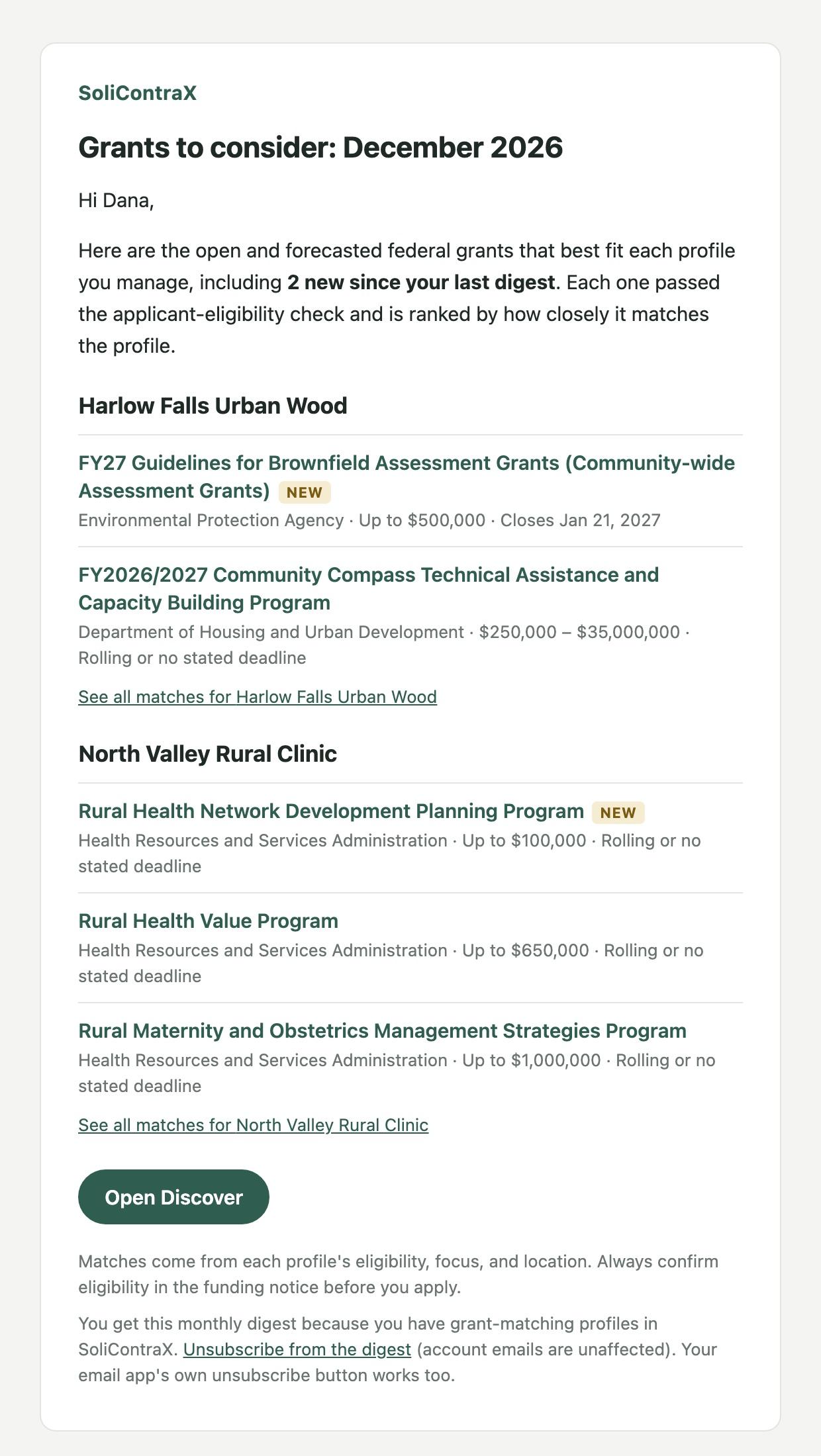
You stay in charge at every step. Nothing is written until you approve the plan, and nothing goes out until you have read it.
Pick a federal grant, or upload your own funding notice. Add your files too. We read every page and pull out what the notice asks for.
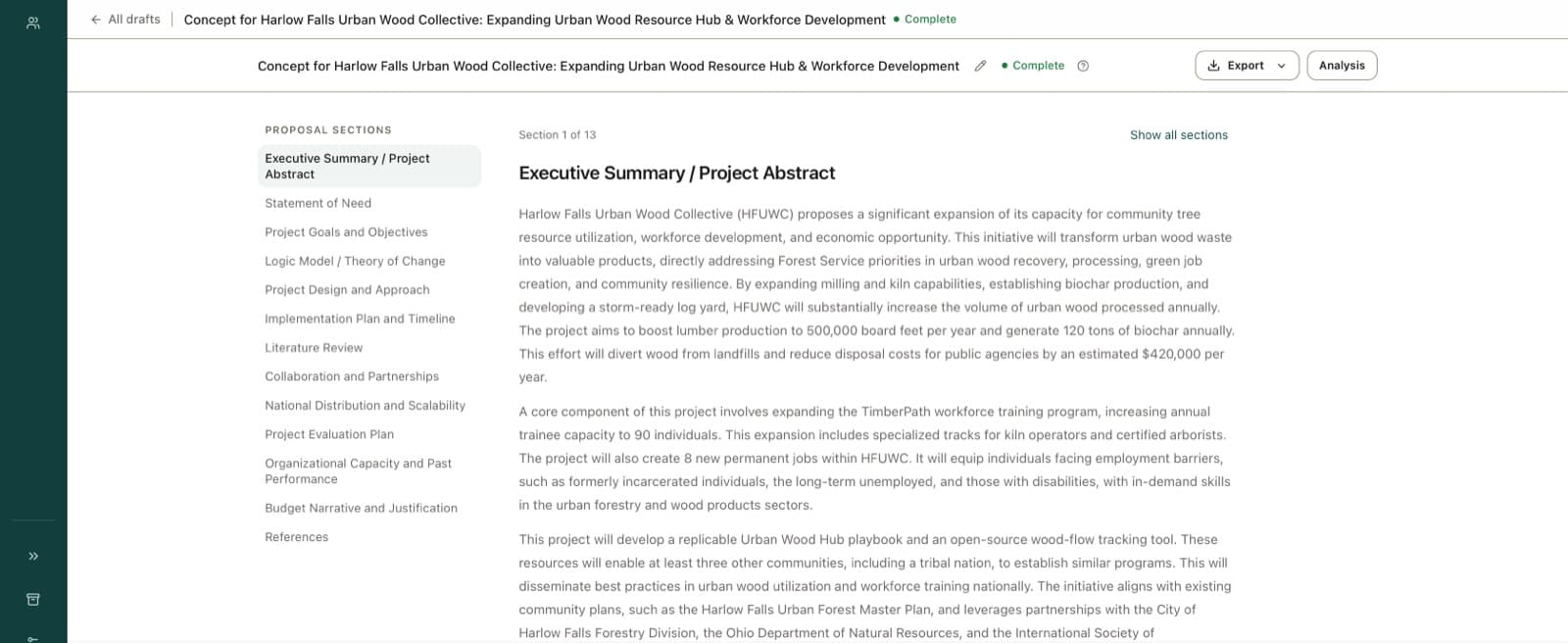
First you get a plan: your strongest points, who to partner with, and how you meet the review criteria. Talk it through and change what you want.
Nothing is written until you say yes. Then the draft is built in the order the agency asked for, using your files.
Every section is checked against the notice. You get a list of what is missing, so you can fix it before you send it.
Export the draft, and build a slide deck if you want one. You do the last read, the edits, and the sending.
The work is the same underneath. Whatever your grant job is, the platform fits it.
It knows it is answering a funding notice, and it knows the rules that come with grant money. So it writes that way from the start.
SoliContraX is cloud software with agentic workflows for grant and proposal writing. Upload a funding notice or pick a live federal grant, shape a concept, approve it, and the platform builds a draft from your own files and checks it against the notice. First draft in about 10 minutes. Submission-ready in days, with your edits.
Yes. Search live federal grants right on the homepage and pick one. It carries into your account, so your first draft starts from the real notice.
Upload any funding notice — federal, state, local, or foundation. SoliContraX reads the document itself, so federal NOFOs and NOFAs, state and local grant and incentive programs, and private foundation RFAs all work. (Live grant search on the homepage is federal-only for now; everything else comes in by upload.)
No. You can search live federal grants on the homepage without an account. Making an account is free. You buy credits when you are ready to upload files and draft.
It is an assignment, not a chat. You give the goal and the files once. The workflow then plans the proposal, writes it, checks its own work, and tells you when the draft is ready.
A concept is your plan for winning, written before any drafting starts: your hook, what makes you different, and the rules you must follow. Talk it through and change it. When you approve it, the draft is built from it.
Closed-book drafting: drafts are written from what you provide, meaning the funding notice, your client files and your approved concept, not from general knowledge. Names, numbers and citations the draft cannot support are flagged in the quality report as must-fix.
About 5 to 10 minutes for a full first draft. The workflow runs in the background and tells you when the draft, analysis report, and exports are ready. Plan on days, with your edits, to make it submission-ready.
No. Credits never expire while your account is active. Buy a pack once, use it at your own pace. Pricing follows actual usage, not document counts or monthly seats.
Yes. Your workspace is private to you. We do not sell your data, we process it strictly to provide the service, and we never train public large language models on your content. See our Security page for the full commitments.
No, and be wary of anyone who does. SoliContraX produces strong, grounded drafts and quality reports. You review, edit, and submit. The judgment stays yours.
Making an account is free. So is setting up your organization. Uploads, concepts and drafts run on credits you buy as you go.
Want the costs first? See pricing.